Как настроить Google как Identity Provider
Настройте Google
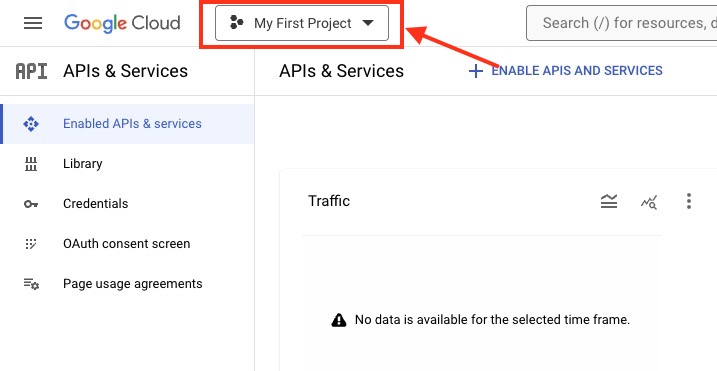
Head over to Google Console, login in to the console using Google account and you will see Google Developer Console. Once logged in, head over the top left drop-down to create new project.
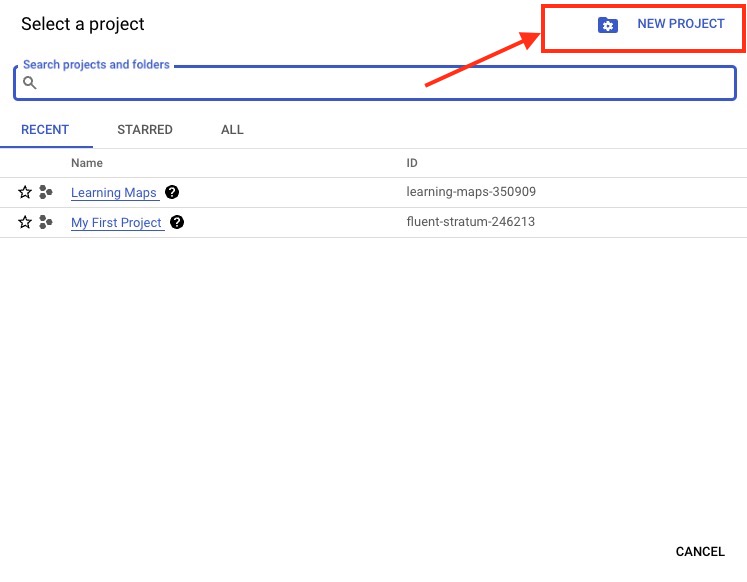
Click on “New Project” to proceed.
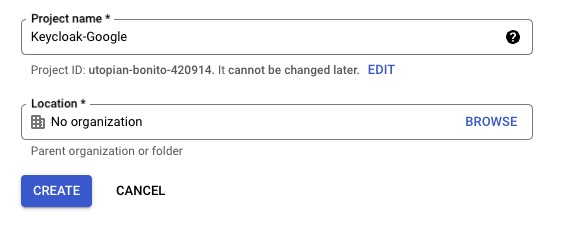
Enter the project name of your choice and select the Organisation if you have multiple organisations. Once done click on “Create”
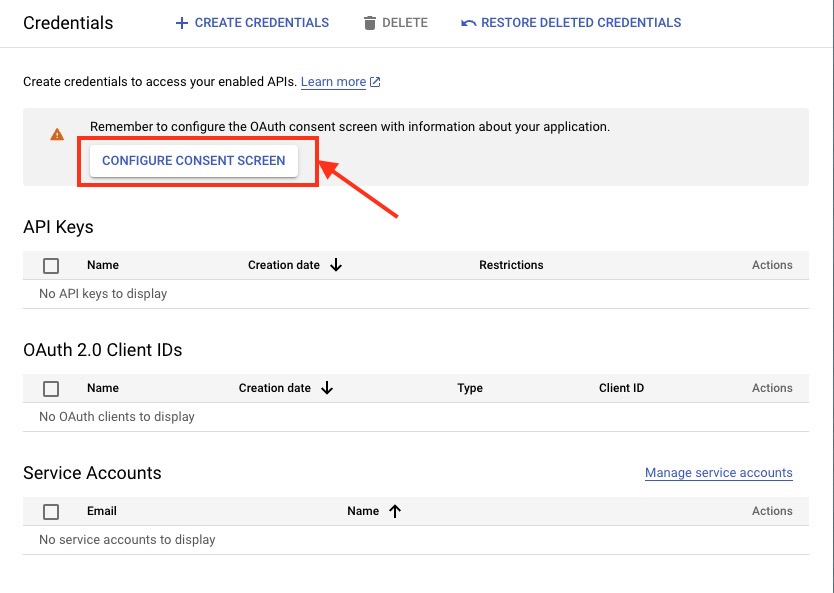
Once the project is created you will get a pop-up suggesting to configure the consent screen. If not then head over to the Dashboard and head over to “Explore and enable APIs” options. Then Click on “Credentials” > “Configure Consent Screen” and head over to the next step.
Click on “External” as we want to allow any Google account to be able to sign in to our application and hit “Create”.
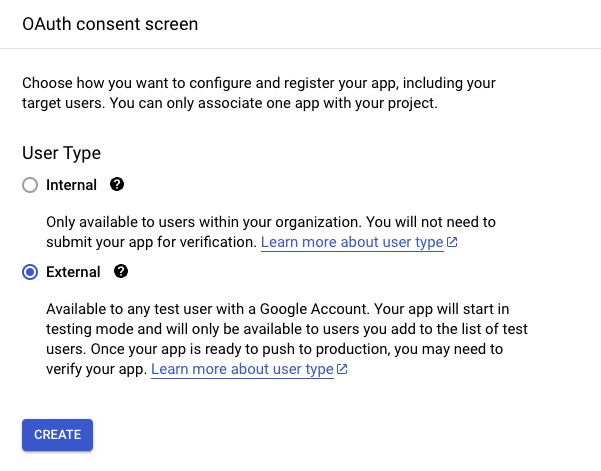
После этого вы будете перенаправлены на страницы, где нужно настроить несколько параметров:
- Application type: Public
- Application name: Your application name
- Authorised domains: Your application top-level domain name
- Application Homepage link: Your application homepage
- Application Privacy Policy link: Your application privacy policy link
Теперь перейдите к Create Credentials в navbar и нажмите “OAuth Client ID”.

Выберите Application type “Web application” и задайте имя приложения. Затем добавьте ссылку из вкладки Keycloak в “Authorized Redirect URIs” и нажмите “Create”. Ссылка должна выглядеть примерно так:
https://YOUR_KEYCLOAK_DOMAIN/auth/realms/cozy/broker/google/endpoint
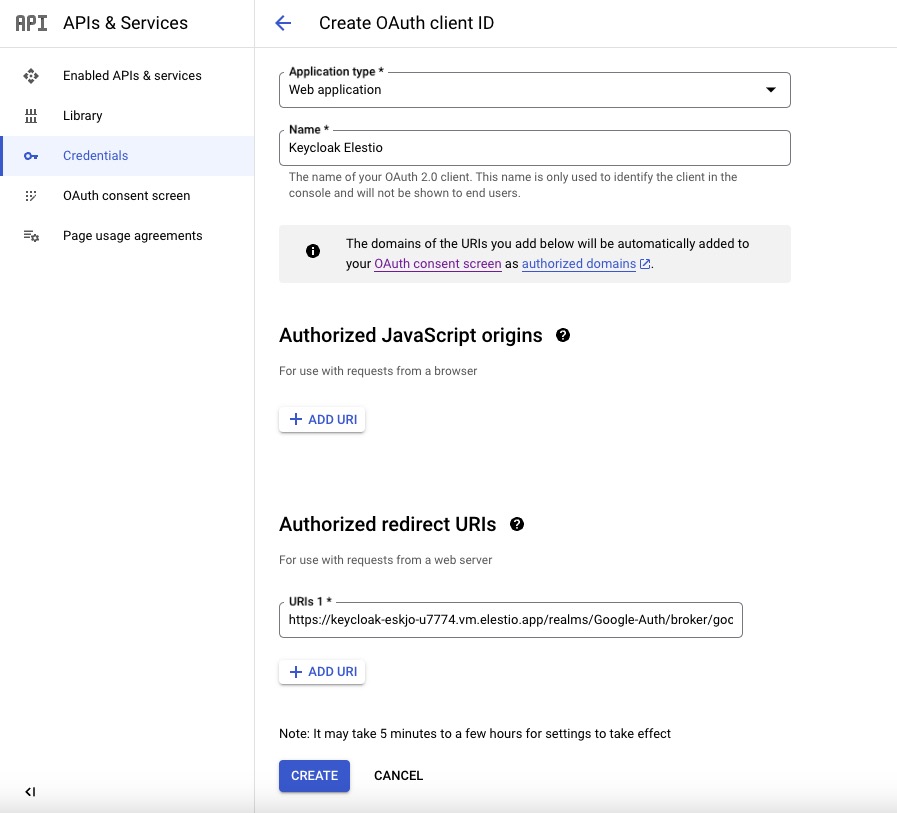
- После завершения появится pop-up с информацией, нужной на следующем шаге. Вам понадобятся “Client ID” и “Client secret”, поэтому сохраните их в безопасном месте.

Настройте Keycloak Identity Provider
Создайте ресурс KeycloakRealmIdentityProvider со следующей конфигурацией:
apiVersion: v1.edp.epam.com/v1
kind: KeycloakRealmIdentityProvider
metadata:
  name: google
spec:
  realmRef:
    name: keycloakrealm-cozy
    kind: ClusterKeycloakRealm
  alias: google
  authenticateByDefault: false
  enabled: true
  providerId: "google"
  config:
    clientId: "YOUR GOOGLE APP ID"
    clientSecret: "YOUR GOOGLE APP SECRET"
    syncMode: "IMPORT"
  mappers:
    - name: "username"
      identityProviderMapper: "oidc-username-idp-mapper"
      identityProviderAlias: "google"
      config:
        target: "LOCAL"
        syncMode: "INHERIT"
        template: "${ALIAS}---${CLAIM.email}"